Only one more week left until the February break. I know the students are looking forward to a little rest, and we could certainly take a break from the blistering cold the last couple of weeks. Despite all that, the students were working hard all week, and produced some good work.
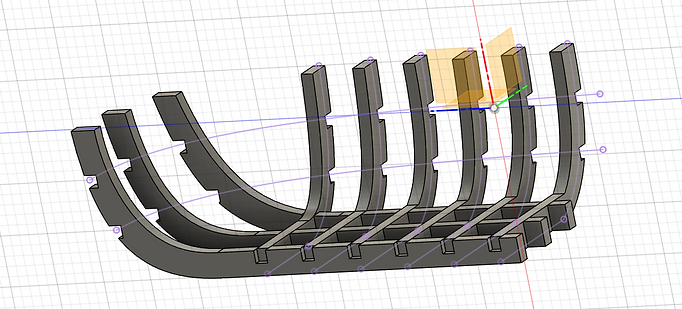
Senior Jaspreet was working on a CAD boat:
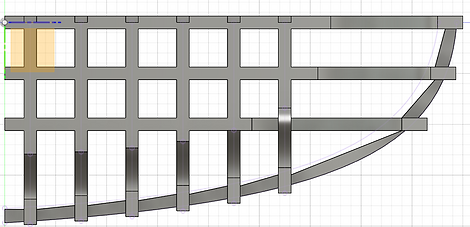
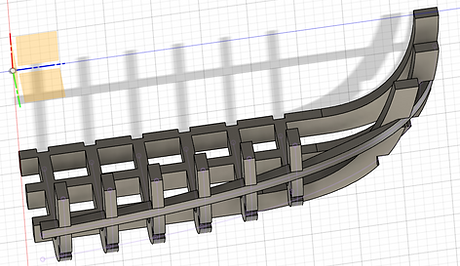
This week, I worked on my boat project and the Word Clock Project. The beginning of this week, I continued creating the model of the boat in Fusion. I had to create the sketches for the individual ribs on the boat along with the design for the cuts to have the ribs interlocked with one another. Creating these ribs was a very systematic process, but it was very tedious to go through and create each one.
An issue I ran into while designing the boat was creating the side ribs for the boat. Moving across the sides of the boat are rails that should closely resemble the ribs on the bottom of the boat. However, I had some difficulty designing the side ribs of the boat in a way that looked uniform with the rest of the ribs while keeping the shape of the boat. I tried to design the topmost rib which took up the better part of Tuesday just for it to turn out bad. But now that I know (generally) how I should approach these side ribs, I plan on redesigning them on Friday.
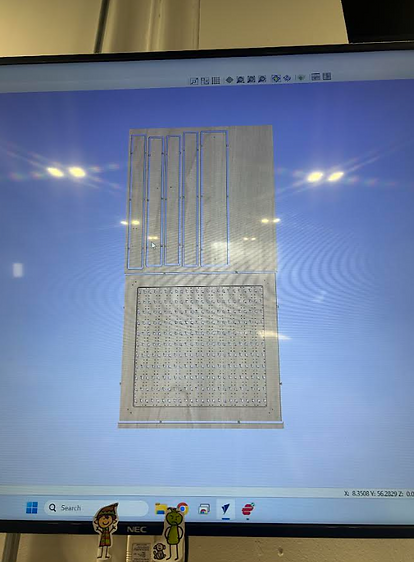
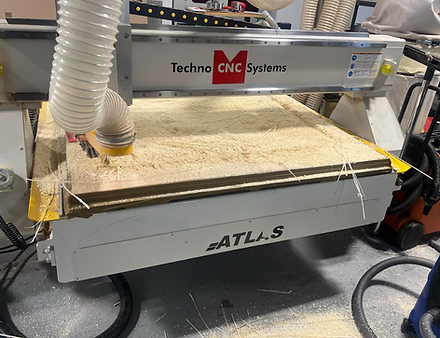
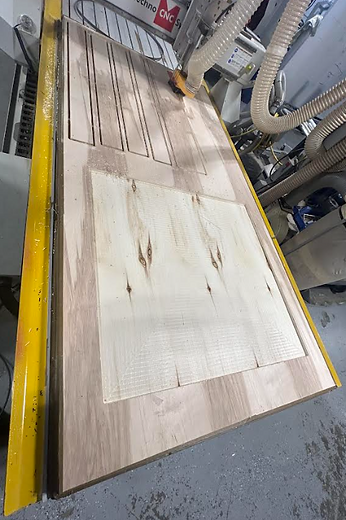
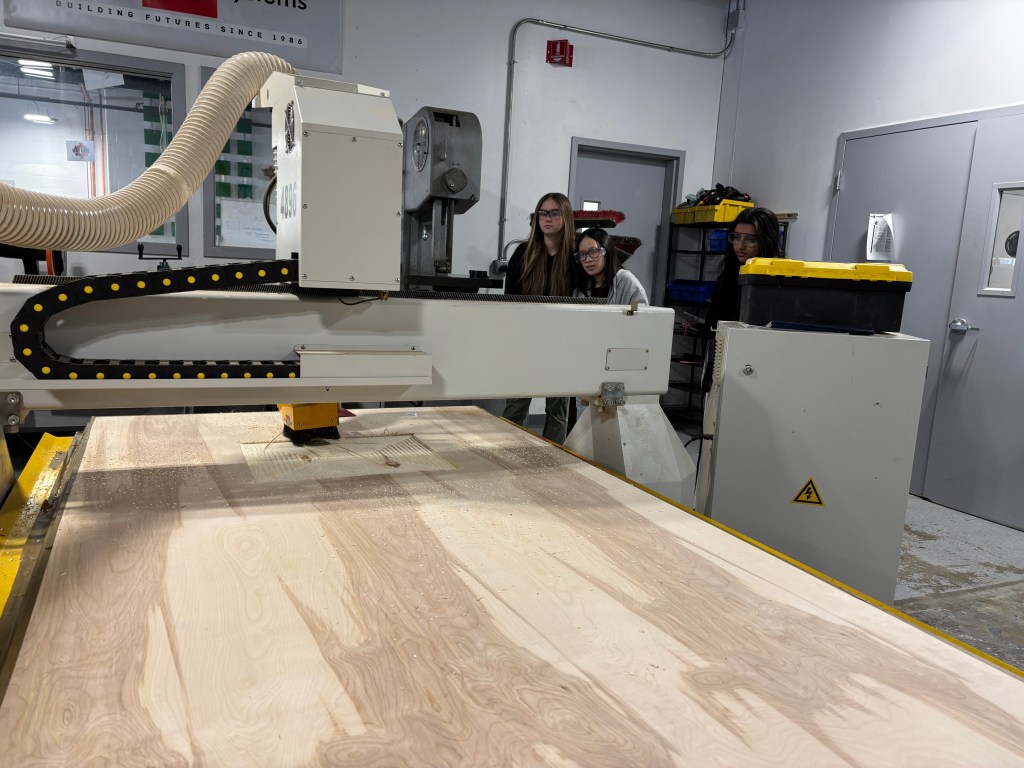
On Wednesday, Kim, Bella, and I spent our time in the Machine Shop preparing the CNC Router to cut out the wooden frame of the Word Clock. We had to take all of the stuff off of the router to clear it off. After this, we had to take off the tape from the boards that were taped to the router. After removing the board, we taped our wood into place on the router and ensured the files were ready to cut out on Thursday.
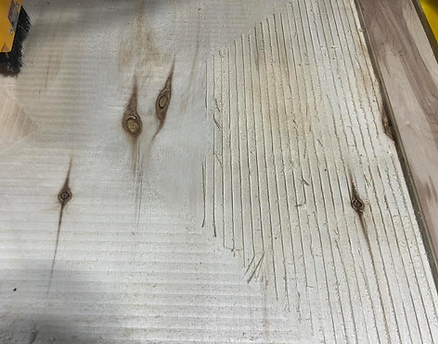
We began cutting out the parts of the frame on Thursday. Our first cut was pretty successful despite a few things. The vacuum on the router was unable to pick up a lot of the sawdust that the machine produced as it was cutting. This was mostly due to the long pieces of wood that got stuck in the vacuum during the cutting process. Because of this, once the cut was finished, I had to vacuum up all the dust to prepare for our next cut. After that, we had to pass over the cut one more time to remove the overlap lines that were created during the cut. We’ve cut out most of the pieces; now we just need to drill out the holes.
Last week ended with an issue that I could not for the life of me figure out. Mr. Christy was also out that week, but now that he was back I brought the issue to him.
Since we had gym on Monday we didn’t get too much time. We spent it all probing all over the board for continuity. When we THOUGHT all was right with continuity we moved on to testing voltage of various things. We found that one of the I2C pins wasn’t outputting 5V when we told it to do so.
Mr. Christy gave me a new I2C and I began putting everything back in its place, since we had ripped everything out during multimeter testing. After I put it all back together, the same issue was occurring. This really stumped me, so I decided to once again test with the multimeter. This time I guess I was more thorough and found the actual issue: the breadboard.
Turns out that the breadboard was interrupting continuity in on of the I2C pins. This was really coincidental as me and Adam were talking about this same issue the other day because he had it.
Anyway I swapped out breadboards and once again had to reassemble the circuit, this time I reorganized it and made it a little neater.
I2C on the breadboard
But of course there had to be another issue. After I had setup the new breadboard and circuit, I plugged the Metromini in and it gave me a power surge warning on my computer. I quickly found the issue, being a lead being put into ground when it should’ve been in power, but once I tried using the circuit it wasn’t working at all.
I immediately began to test the I2C pins and made sure they were outputting 5V when they were supposed to; they were not. So I switched them out, and another problem began. It was almost as if it was the same issue as before; one motor worked fine, the other only moved in one direction. I knew the I2C wasn’t the issue so I assumed it was the Motor Driver. I switched it out and the circuit began working. Now I still needed to 2 more Motor Drivers for the final circuit so I decided to test them in the working circuit before relying on them later. This turned out to not just be in vein. I found another broken Motor Driver.
All in all, I had been working with a broken breadboard, I broke and I2C and Motor Driver, as well as found another broken Motor Driver. But finally the issues subsided and I could get some real work done.
NEW CONTROL SYSTEM
I setup the old circuit of the 4 Motors with potentiometers and I got it working:
But now I wanted to get all 6 working. This would mean I new way of controlling the motors (opposed to just a potentiometer for each motor) since there were only 4 analog pins I could use (A4 and A5 were being used by the I2C to communicate). My plan was to setup buttons that would switch the control mode of one potentiometer. I decided to go with 5 big buttons (Gripper, Base, Arm X & Y, and up and down wrist control) and then 2 small buttons that would control the rotation of the wrist.
Next week I hope to get all 6 motors working with the new control system.
Sophomore Bruna was working on the LED Light project:
Wednesday
Today I was very tired so I mostly just focused on my making my clock show an accurate time.
Tomorrow, I plan to combine the time with the LED though I believe that ill only be done with that next week
Thursday
I found a way in order to display a more accurate time to my RTC by making it show 11 seconds into the future. Currently, I need to figure how I’ll make the color change according to hour
Friday
I don’t fully remember what happened on Friday but I do know that I got help for a classmate and was able to learn more about coding
Monday
On Mondays, I have a shorter class time, meaning that I have less time to work
On this day, I spent most of my chatting with my teacher about what I plan to do with my LED box and what its final product will look
Tuesday
I was not here on this day
Wednesday
On this day, I realized that I lost the new code for the project so I spent this day recovering what I could and figuring out where to go from here
Thursday
Today, I remembered that I have a blog website and that I needed to write about how my week’s been going. Due to me forgetting, all entries before this one are rushed and have none of my work shown. To make up, I’ll try to make this day’s entry as lengthy as I possibly could.
Currently, I have most of my code back and are trying to see if there’s anything I’m missing or if I’ve put anything in the wrong spot. I think that for today, Ill probably spend most of my time figuring out how to arrange the code to work again.
How my work currently looks
With today, I’ve also started a test sketch in which I could whether or not a piece of code goes there or not.
Friday
For Friday, I plan to find out more of the missing code + make a shape for my LED box.
The Freshmen were working with Mr. Christy on circuitry this week. The learned about breadboards, LEDs, and schematic designs.




 MVTHS Engineering
You must be logged in to post a comment.